Tech & SoftwareFree PrintableSizes: US Letter & A4
Python 3 Modern Syntax, Data Types & Methods Cheat Sheet
Quick-Reference Table
The full data from this cheat sheet, right on the page.
| Concept / Syntax | Code Snippet | Description | Time Complexity |
|---|---|---|---|
| List Comprehension | [x**2 for x in items if x % 2 == 0] | Clean inline list construction | O(n) |
| Dict Comprehension | {k: v for k, v in pairs if v is not None} | Filter or build dictionary keys | O(n) |
| F-String Formatting | f"Total: {cost:.2f} ({qty:,} units)" | Fast string interpolation with formats | O(n) |
| Enumerate | for idx, val in enumerate(items, start=1): | Iterate over index and value together | O(n) |
| Zip Iteration | for name, score in zip(names, scores): | Lock-step iteration across iterables | O(min(len)) |
| Dict .get with Default | val = my_dict.get("key", "default_val") | Safe access without KeyError | O(1) |
| Unpacking (Splat) | head, *middle, tail = [1, 2, 3, 4, 5] | Destructuring sequential collections | O(n) |
| Context Manager | with open("data.json", "r") as f: data = json.load(f) | Guaranteed resource cleanup | O(file size) |
How to Use This Chart
Pin this chart where you work: it packs 8 entries and 4 columns (Concept / Syntax, Code Snippet, Description, Time Complexity) into one printable page, built for quick lookups.
Scan down the Concept / Syntax column to your item, then read across for Code Snippet, Description.
Example: for List Comprehension, the chart gives Code Snippet of [x**2 for x in items if x % 2 == 0].
- Compare values down a single column to spot the pattern before you commit to a choice.
- When two rows look close, the Time Complexity column usually breaks the tie.
- Print it once and keep it where you work — that's the whole point of a cheat sheet.
Printable Sheet Preview
High-Contrast Layout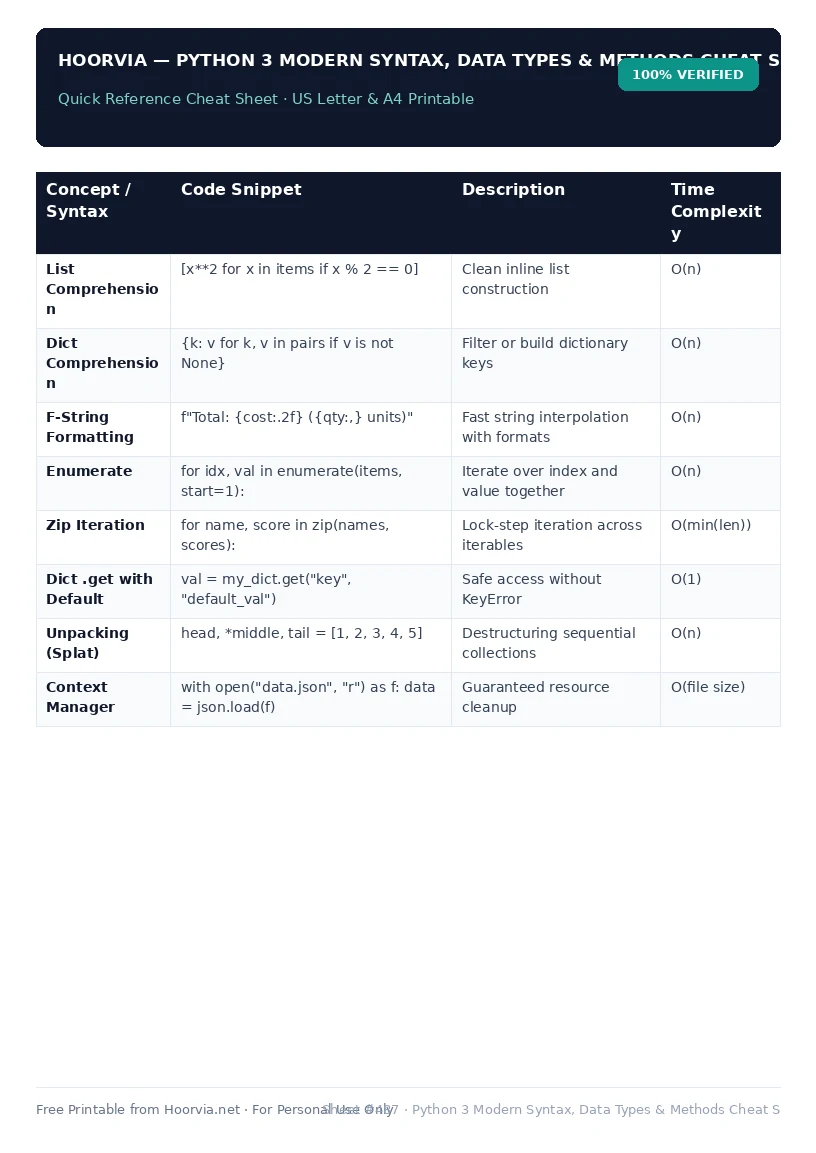
Download Your Free Printable Sheet
Download the printable PDF below. It is the same sheet shown in the preview above, ready to print on US Letter or A4 — open it and choose Print, with Scale set to Fit to Page.
📥 Download Free Printable PDFUS Letter + A4 — PDF file
📥 Download US Letter8.5" × 11" — PDF file
📥 Download A4 Size210 × 297 mm UK/EU/AU — PDF file
🖶 Print Directly NowOpen PDF to Print
💡 Pro Printing Tip: In your printer settings, set Scale to “Fit to Printable Area” and enable “Background Graphics” for color headers.