Python Syntax Cheat Sheet: Printable Python 3 Quick Reference Guide
Whether you are writing your first automation script, preparing for a technical coding interview, or switching between multiple programming languages, small syntax details can easily trip up your workflow. Python 3 relies on clean indentation and expressive one-liners, making a concise syntax reference invaluable when you need to recall dictionary methods, slicing rules, or exception handling blocks on the fly. This printable Python syntax cheat sheet condenses essential Python 3.10+ building blocks into a practical, copy-ready reference chart. Instead of digging through lengthy documentation pages, you can immediately check exact code patterns for f-string formatting, list comprehensions, lambda functions, file context managers, and structural pattern matching. Review the complete Python commands and syntax chart below for real-world code snippets and expected outputs, or print the sheet below to keep beside your keyboard while coding in VS Code, PyCharm, or Jupyter.
Quick-Reference Table
The full data from this cheat sheet, right on the page.
| Construct / Feature | Python 3 Syntax Example | Output / Behavior | Core Use Case |
|---|---|---|---|
| F-String Formatting | f"Price: ${cost:.2f}" | 'Price: $19.50' | Embed variables and round decimals cleanly inside strings |
| List Slicing | items[1:4] / items[::-1] | Elements 1–3 / Reversed list | Extract sub-lists or reverse sequences [start:stop:step] |
| List Comprehension | [x**2 for x in range(5) if x % 2 == 0] | [0, 4, 16] | Filter and transform iterables in a single readable line |
| Dictionary Safe Lookup | user.get("role", "guest") | 'guest' (if key missing) | Retrieve dictionary values without raising a KeyError |
| Dictionary Merge (3.9+) | merged = defaults | custom | Combined dict (right wins) | Merge two dictionaries cleanly using the union operator |
| Unpacking & Splat | first, *rest = [10, 20, 30, 40] | first=10, rest=[20, 30, 40] | Capture head/tail elements from lists or tuples dynamically |
| Enumerate Loop | for idx, val in enumerate(seq, 1): | Yields (1, item0), (2, item1) | Loop over an iterable while tracking a 1-based counter |
| Zip Parallel Iteration | for a, b in zip(names, scores): | Pairs (name0, score0) | Iterate over two or more lists simultaneously |
| Function with Type Hints | def calc(x: int, rate: float = 0.1) -> float: | Returns typed float value | Define reusable functions with default args and type safety |
| Lambda Anonymous Func | sort_fn = sorted(rows, key=lambda r: r[1]) | List sorted by index 1 | Pass short inline sorting or filtering logic |
| Exception Handling | try: ... except ValueError as e: ... finally: | Catches error safely | Handle runtime errors without crashing the script |
| Context Manager (with) | with open("data.txt", "r", encoding="utf-8") as f: | Auto-closes file handle | Read or write files safely without memory or handle leaks |
| Structural Match (3.10+) | match status: case 200: ... case _: | Matches value pattern | Clean multi-branch alternative to long if/elif chains |
How to Use This Chart
Pin this chart where you work: it packs 13 entries and 4 columns (Construct / Feature, Python 3 Syntax Example, Output / Behavior, Core Use Case) into one printable page, built for quick lookups.
Scan down the Construct / Feature column to your item, then read across for Python 3 Syntax Example, Output / Behavior.
Example: for F-String Formatting, the chart gives Python 3 Syntax Example of f"Price: ${cost:.2f}".
- Compare values down a single column to spot the pattern before you commit to a choice.
- When two rows look close, the Core Use Case column usually breaks the tie.
- Print it once and keep it where you work — that's the whole point of a cheat sheet.
💡 Quick Tips
Indentation Rule: Python uses 4 spaces (never mixed tabs and spaces) per indentation level to define code blocks instead of curly braces.
Mutable Default Trap: Never use def add_item(val, items=[]): as a default argument; use items=None and initialize items = [] inside the function body so lists do not persist across calls.
Frequently Asked Questions
What is the difference between a list, a tuple, and a set in Python?▼
Lists ([1, 2]) are ordered and mutable, allowing you to add or change elements. Tuples ((1, 2)) are ordered but immutable once created. Sets ({1, 2}) are unordered collections that automatically strip duplicate values and support ultra-fast membership checks.
Why should I use enumerate() instead of range(len(my_list)) in Python loops?▼
Using for i, item in enumerate(my_list): gives you both the index and the actual value directly without manual indexing (my_list[i]). It is faster, cleaner, more Pythonic, and lets you set a custom starting counter number.
How do *args and **kwargs work in Python function definitions?▼
*args collects any number of extra positional arguments into a tuple, while **kwargs collects extra keyword arguments (key=value) into a dictionary. Together, they let you write flexible functions and decorators that accept variable inputs.
Printable Sheet Preview
High-Contrast Layout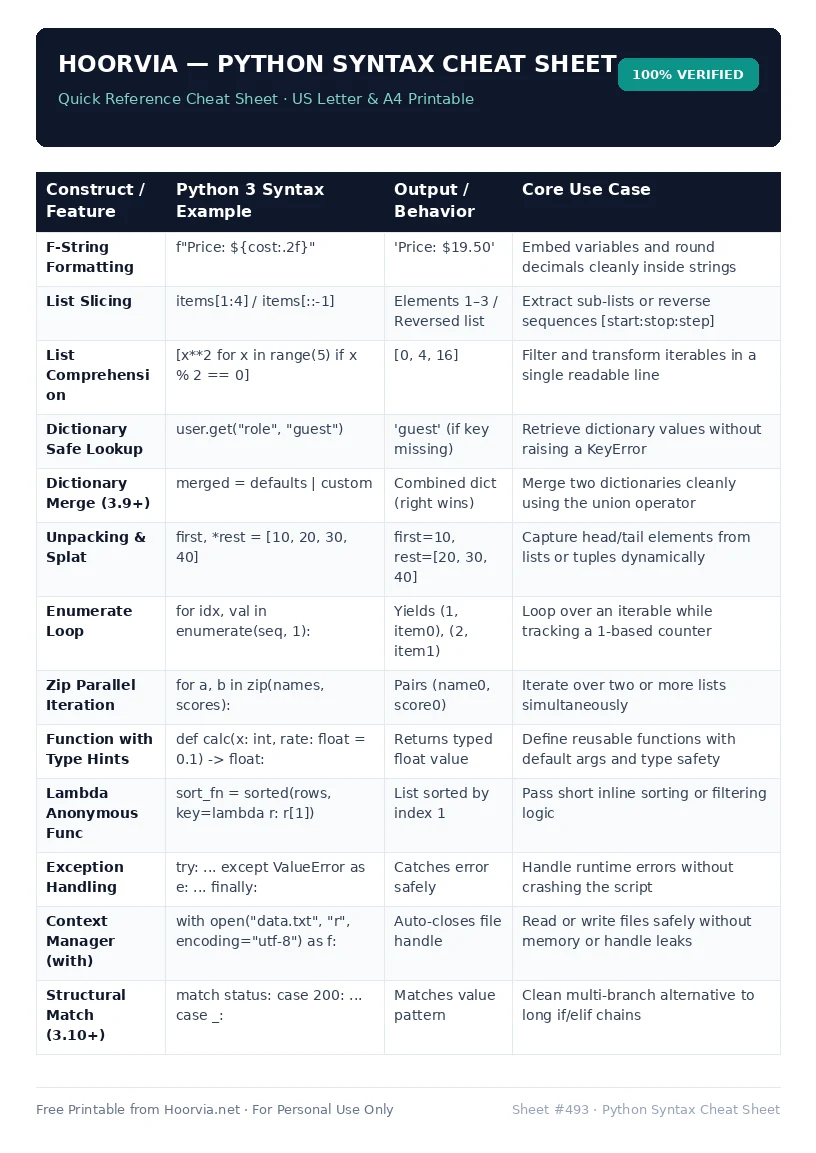
Download Your Free Printable Sheet
Download the printable PDF below. It is the same sheet shown in the preview above, ready to print on US Letter or A4 — open it and choose Print, with Scale set to Fit to Page.
💡 Pro Printing Tip: In your printer settings, set Scale to “Fit to Printable Area” and enable “Background Graphics” for color headers.