USDA Meat Internal Temperature Chart: Printable Safe Temp Reference
Safe cooking temperatures are the numbers every home cook should know by heart, because undercooked poultry and ground meat are the most common causes of foodborne illness. The USDA sets minimum internal temperatures that instantly kill harmful bacteria, while chefs often target slightly different temperatures for the best texture — knowing both numbers lets you cook safely without sacrificing juiciness. This printable USDA meat internal temperature chart lists the official safe minimum, the chef-recommended target, and the required rest time for twelve proteins from chicken and ground beef to duck and fish. Check the table below before you cook, or print the sheet below to tape inside a kitchen cabinet for quick, confident verification.
Quick-Reference Table
The full data from this cheat sheet, right on the page.
| Meat / Protein | USDA Minimum Safe Temp | Chef Recommended | Rest Time |
|---|---|---|---|
| Chicken & Turkey (all cuts) | 165°F | 165°F (thighs 175°F for texture) | 5–10 mins |
| Ground Beef, Pork, Lamb, Veal | 160°F | 160°F | 3 mins |
| Beef Steaks & Roasts | 145°F | 130–135°F (medium-rare) | 5–10 mins |
| Pork Chops, Roasts & Tenderloin | 145°F | 145°F (slight blush is safe) | 3 mins |
| Lamb Chops, Roasts & Leg | 145°F | 130–135°F (medium-rare) | 5–10 mins |
| Veal Chops & Roasts | 145°F | 135–140°F (medium) | 5 mins |
| Duck Breast | 165°F (USDA poultry rule) | 135°F (medium-rare, chef style) | 5 mins |
| Fish & Shellfish | 145°F | 125–135°F (flakes easily) | Serve immediately |
| Fresh Ham (uncooked) | 145°F | 145°F | 3 mins |
| Fully Cooked Ham (reheat) | 140°F | 140°F | 5 mins |
| Leftovers & Casseroles | 165°F | 165°F, bubbling throughout | 2 mins |
| Egg Dishes & Quiches | 160°F | 160°F, fully set | Serve hot |
How to Use This Chart
Pin this chart where you work: it packs 12 entries and 4 columns (Meat / Protein, USDA Minimum Safe Temp, Chef Recommended, Rest Time) into one printable page, built for quick lookups.
Scan down the Meat / Protein column to your item, then read across for USDA Minimum Safe Temp, Chef Recommended.
Example: for Chicken & Turkey (all cuts), the chart gives USDA Minimum Safe Temp of 165°F.
- Compare values down a single column to spot the pattern before you commit to a choice.
- When two rows look close, the Rest Time column usually breaks the tie.
- Print it once and keep it where you work — that's the whole point of a cheat sheet.
💡 Quick Tips
Measure the Thickest Part: Insert your thermometer into the thickest part of the meat without touching bone — bone conducts heat and gives falsely high readings that can leave the center undercooked.
Resting Is Food Safety Too: Resting is not just about juiciness: carryover heat keeps killing bacteria for several minutes after meat leaves the heat, which is why the USDA pairs every temperature with a rest time.
Frequently Asked Questions
Why is the chef temperature lower than the USDA temperature for steak?▼
The USDA 145°F minimum is a conservative safety standard for all consumers. Quality beef steaks from reputable sources are safely enjoyed at 130–135°F medium-rare because surface bacteria are killed by searing and the interior of intact muscle is essentially sterile.
Is it safe to eat duck breast at 135°F when the USDA says 165°F?▼
The USDA classifies duck as poultry (165°F), but chefs widely serve duck breast at 135°F medium-rare, treating it like red meat. This is a calculated quality choice for high-quality duck; for ground duck or wild birds of unknown handling, follow the full 165°F.
Do I really need to rest meat after cooking?▼
Yes. Resting lets muscle fibers relax and reabsorb juices, and carryover heat raises the internal temperature another 3–5°F while continuing to kill surface bacteria. Skipping the rest means drier meat and a less reliable final temperature.
Printable Sheet Preview
High-Contrast Layout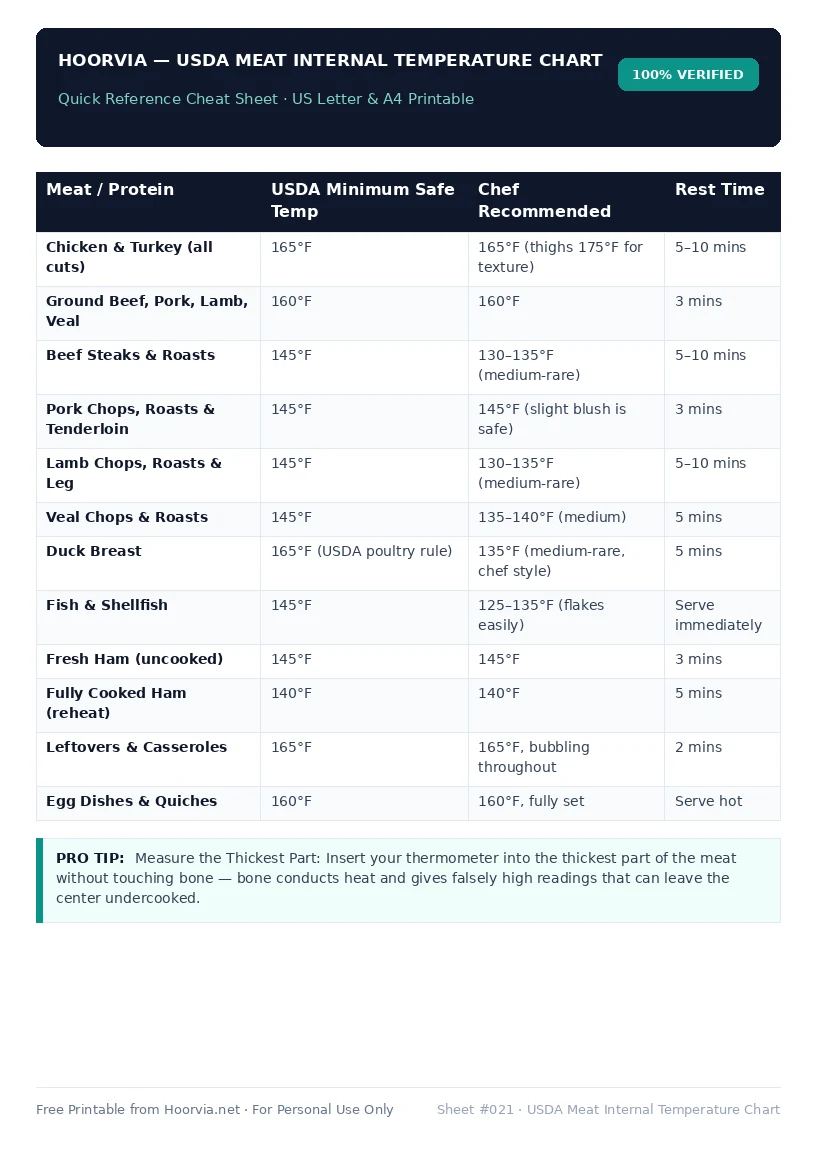
Download Your Free Printable Sheet
Download the printable PDF below. It is the same sheet shown in the preview above, ready to print on US Letter or A4 — open it and choose Print, with Scale set to Fit to Page.
💡 Pro Printing Tip: In your printer settings, set Scale to “Fit to Printable Area” and enable “Background Graphics” for color headers.