Google Sheets Formulas Cheat Sheet
Google Sheets formulas: SUM, IF, VLOOKUP, QUERY, IMPORTRANGE, ARRAYFORMULA and more, with examples you can copy.
Google Sheets shares many formulas with Excel, but its best tricks are different: QUERY for filtering, IMPORTRANGE for linking sheets, and ARRAYFORMULA for filling a column without dragging. This sheet gives copy-ready examples for the formulas Sheets users reach for most.
Quick-Reference Table
The full data from this cheat sheet, right on the page.
| Formula | Example | What it does |
|---|---|---|
| SUM / AVERAGE | =SUM(A1:A10) | Adds / averages a range |
| COUNTIF / SUMIF | =COUNTIF(A:A,"Done") | Counts / sums matching a condition |
| IF | =IF(B2>100,"Over","OK") | Conditional result |
| IFS | =IFS(A1>90,"A",A1>70,"B",TRUE,"C") | Multiple conditions |
| VLOOKUP | =VLOOKUP(A2,$D$2:$E$50,2,FALSE) | Lookup to the right |
| XLOOKUP | =XLOOKUP(A2,D:D,E:E,"Not found") | Modern lookup, either direction |
| INDEX + MATCH | =INDEX(B:B,MATCH(A2,A:A,0)) | Flexible lookup |
| QUERY | =QUERY(A1:D100,"select A,B where C>100") | SQL-like filtering and sorting |
| IMPORTRANGE | =IMPORTRANGE("sheet-url","Sheet1!A1:D20") | Pulls data from another spreadsheet (allow access first) |
| ARRAYFORMULA | =ARRAYFORMULA(A2:A10*B2:B10) | Applies a formula to a whole range at once |
| SPLIT / JOIN | =SPLIT(A2,",") | Splits text / joins it back |
| REGEXMATCH | =REGEXMATCH(A2,"@gmail\.com") | Tests text against a pattern |
| GOOGLETRANSLATE | =GOOGLETRANSLATE(A2,"en","es") | Translates cell text |
| IMAGE | =IMAGE("https://example.com/logo.png") | Displays an image in a cell |
| IFERROR | =IFERROR(A2/B2,"—") | Hides errors with a friendly value |
| TODAY / NOW | =TODAY() | Current date / time |
| SORT / FILTER | =FILTER(A2:B20,B2:B20>50) | Returns only matching rows |
| UNIQUE | =UNIQUE(A2:A100) | Removes duplicates from a list |
| SPARKLINE | =SPARKLINE(B2:B20) | Mini chart inside a cell |
| CONCATENATE | =CONCATENATE(A2," ",B2) | Joins text (or use &) |
Printable Sheet Preview
High-Contrast Layout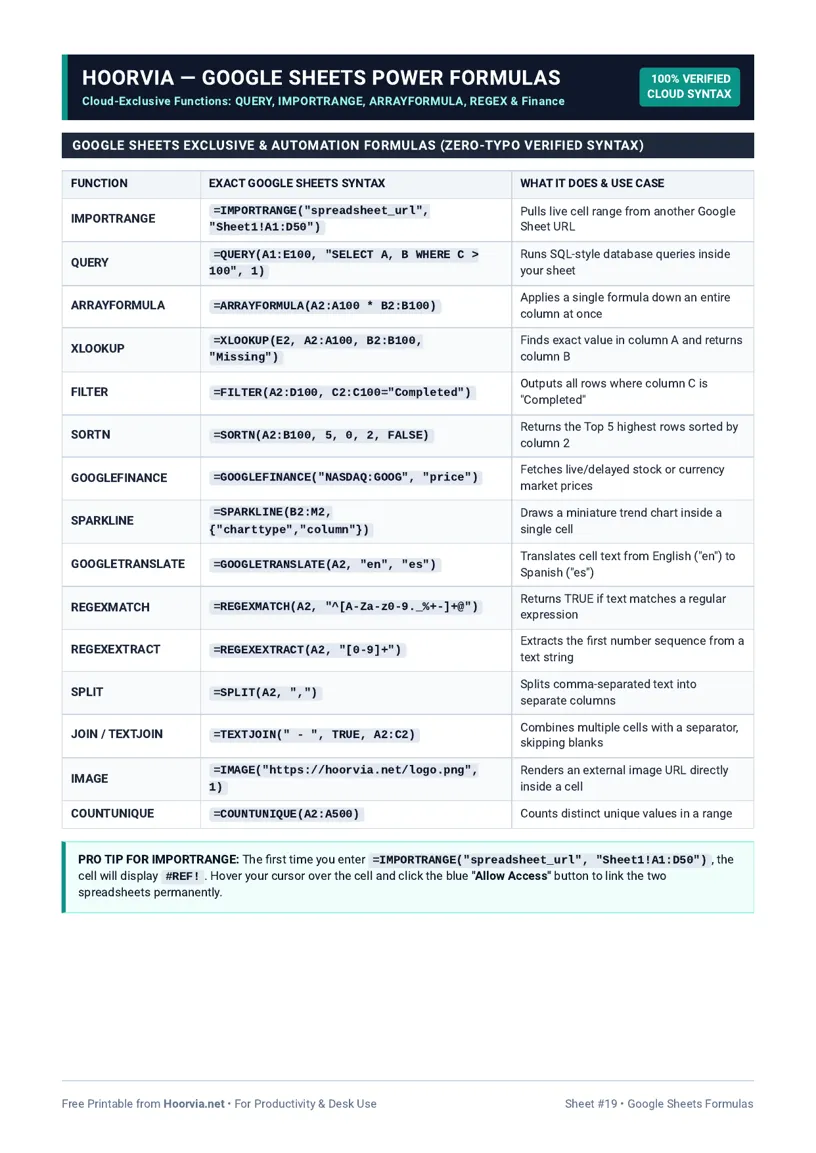
Download Your Free Printable Sheet
Download the printable PDF below. It is the same sheet shown in the preview above, ready to print on US Letter or A4 — open it and choose Print, with Scale set to Fit to Page.
💡 Pro Printing Tip: In your printer settings, set Scale to “Fit to Printable Area” and enable “Background Graphics” for color headers.
How to Print & Use This Chart
Print on US Letter or A4 and keep it near your desk for the first weeks of using Sheets formulas seriously, or save the PDF version via “Save as PDF” in the print dialog (Letter or A4) for a second screen. A printed sheet is still useful even for a cloud tool, because it stops you breaking concentration to search the same QUERY syntax for the tenth time. Laminate it if it will live on a busy desk, and highlight QUERY, IMPORTRANGE and ARRAYFORMULA — the three formulas that most separate a casual Sheets user from a confident one.
Start by copying an example exactly, then swap in your own ranges one piece at a time and check the result before building further. For QUERY, remember that column letters in the query refer to the range you selected, not the whole sheet, and text conditions need single quotes inside the double-quoted query. IMPORTRANGE will show a #REF! error until you click “Allow access” — that is normal, not a broken formula, and it only needs allowing once per source sheet. Use ARRAYFORMULA to fill a whole column without dragging, but do not put values in the same column below it, or they will be overwritten. As with Excel, wrap risky lookups in IFERROR and test on a small range first; a formula that works on ten rows will work on ten thousand, but a mistake copied across ten thousand rows is much harder to clean up.
Frequently Asked Questions (FAQs)
What is QUERY in Google Sheets?▼
A SQL-like function that filters, sorts and selects columns from a range, e.g. =QUERY(A1:D100,"select A,B where C>100"). It replaces many manual filters.
Why does IMPORTRANGE show #REF!?▼
It needs permission the first time. Click the cell and choose Allow access. After that it pulls live from the source sheet.
Do Excel formulas work in Google Sheets?▼
Most common ones do (SUM, IF, VLOOKUP, XLOOKUP), but some Excel-only functions differ. QUERY, IMPORTRANGE and GOOGLETRANSLATE are Sheets-specific.
How is ARRAYFORMULA useful?▼
It applies one formula to a whole range without dragging it down, so new rows added later are calculated automatically.