Military Time Conversion Chart: Printable 12-Hour to 24-Hour Reference
Military time looks like a secret code until you see the pattern — then it is simpler than the 12-hour clock. The confusion costs real people real time: travelers who show up at 18:00 instead of 6 PM, nurses who chart 3 AM instead of 3 PM, new recruits who freeze on their first duty roster. The mistakes always come from the same two spots: midnight, which is 0000, and the PM hours, where you must add 12 to convert. The spoken forms add another layer — 'zero six hundred' for 0600, but plain 'ten hundred' for 1000 once you pass 0900. This printable conversion chart gives you the mapping at a glance: each hour with its 24-hour military time, how to say it out loud, and the quick rule that makes every row obvious. Consult the live reference table below, or print the sheet below and tape it where you clock in.
Quick-Reference Table
The full data from this cheat sheet, right on the page.
| 12-Hour Time | 24-Hour Time | Spoken / Pronounced | Quick Rule |
|---|---|---|---|
| 12:00 AM (Midnight) | 0000 | Zero Hundred Hours | Midnight is 0000 — the day starts at zero |
| 1:00 AM | 0100 | Zero One Hundred | AM hours: same number, pad with a leading zero |
| 2:00 AM | 0200 | Zero Two Hundred | Say the leading zero for hours 00–09 |
| 3:00 AM | 0300 | Zero Three Hundred | Same pattern holds through 9:00 AM |
| 4:00 AM | 0400 | Zero Four Hundred | Nothing to add — AM stays the same |
| 5:00 AM | 0500 | Zero Five Hundred | Nothing to add — AM stays the same |
| 6:00 AM | 0600 | Zero Six Hundred | Nothing to add — AM stays the same |
| 7:00 AM | 0700 | Zero Seven Hundred | Nothing to add — AM stays the same |
| 8:00 AM | 0800 | Zero Eight Hundred | Nothing to add — AM stays the same |
| 9:00 AM | 0900 | Zero Nine Hundred | Nothing to add — AM stays the same |
| 10:00 AM | 1000 | Ten Hundred | Drop the 'zero' once the hour hits 10 |
| 11:00 AM | 1100 | Eleven Hundred | Drop the 'zero' once the hour hits 10 |
| 12:00 PM (Noon) | 1200 | Twelve Hundred | Noon is 1200 — PM conversion starts here |
| 3:00 PM | 1500 | Fifteen Hundred | PM hours: add 12 (3 + 12 = 15) |
| 9:00 PM | 2100 | Twenty-One Hundred | PM hours: add 12 (9 + 12 = 21) |
How to Use This Chart
Pin this chart where you work: it packs 15 entries and 4 columns (12-Hour Time, 24-Hour Time, Spoken / Pronounced, Quick Rule) into one printable page, built for quick lookups.
Scan down the 12-Hour Time column to your item, then read across for 24-Hour Time, Spoken / Pronounced, Quick Rule.
Example: for 12:00 AM (Midnight), the chart gives 24-Hour Time of 0000.
- Compare values down a single column to spot the pattern before you commit to a choice.
- When two rows look close, the last column usually breaks the tie.
- Print it once and keep it where you work — that's the whole point of a cheat sheet.
💡 Quick Tips
Add 12 for PM: For any PM hour except noon, add 12: 7 PM becomes 1900. Reverse it to convert back.
Midnight Is Zero: 00:00 is midnight — never write 24:00, which belongs to the end of the day.
Minutes Stay Put: Conversion only changes the hour: 4:45 PM becomes 1645, minutes untouched.
Frequently Asked Questions
How do you convert PM times to military time?
Add 12 to the hour for every PM time except 12 PM itself. So 1 PM is 1300, 6 PM is 1800, and 11 PM is 2300. AM hours stay the same number (with a leading zero), midnight is 0000, and noon stays 1200.
How do you say 0000 and 1000 out loud?
Military convention says 'zero hundred hours' for 0000 and 'ten hundred hours' for 1000. The 'zero' prefix applies to hours 0000–0900; from 1000 onward, you just say the number plus 'hundred hours.'
Why do militaries and hospitals use 24-hour time?
It removes the AM/PM ambiguity that causes real errors — a medication logged at '3' could mean morning or afternoon. One 24-hour number means one unambiguous time, which is why aviation, medicine, and emergency services all use it.
Printable Sheet Preview
High-Contrast Layout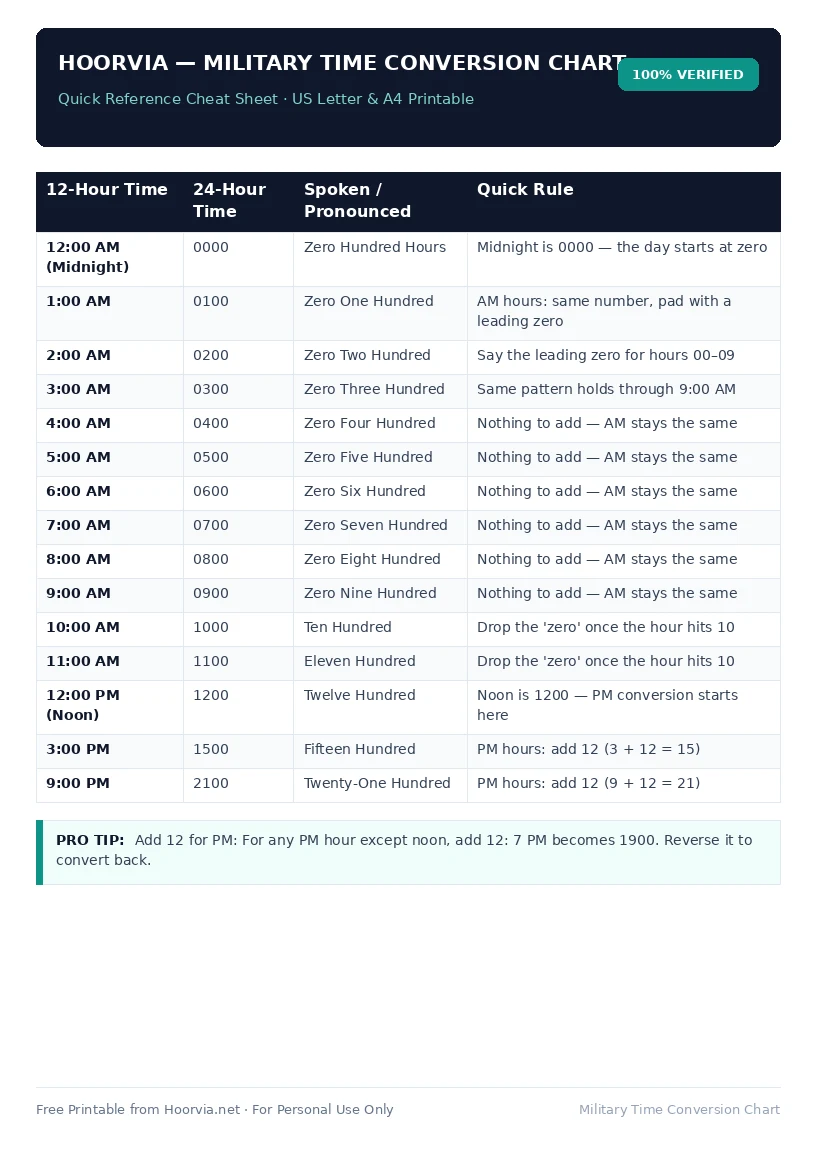
Download Your Free Printable Sheet
Download the printable PDF below. It is the same sheet shown in the preview above, ready to print on US Letter or A4 — open it and choose Print, with Scale set to Fit to Page.
💡 Pro Printing Tip: In your printer settings, set Scale to “Fit to Printable Area” and enable “Background Graphics” for color headers.